What you need
- A Mac with Apple silicon (M1 or newer).
- macOS 14 or later.
- About 8 GB of free disk space.
- 16 GB of RAM recommended.
- Internet only the first time: the models (about 3.6 GB) download once.
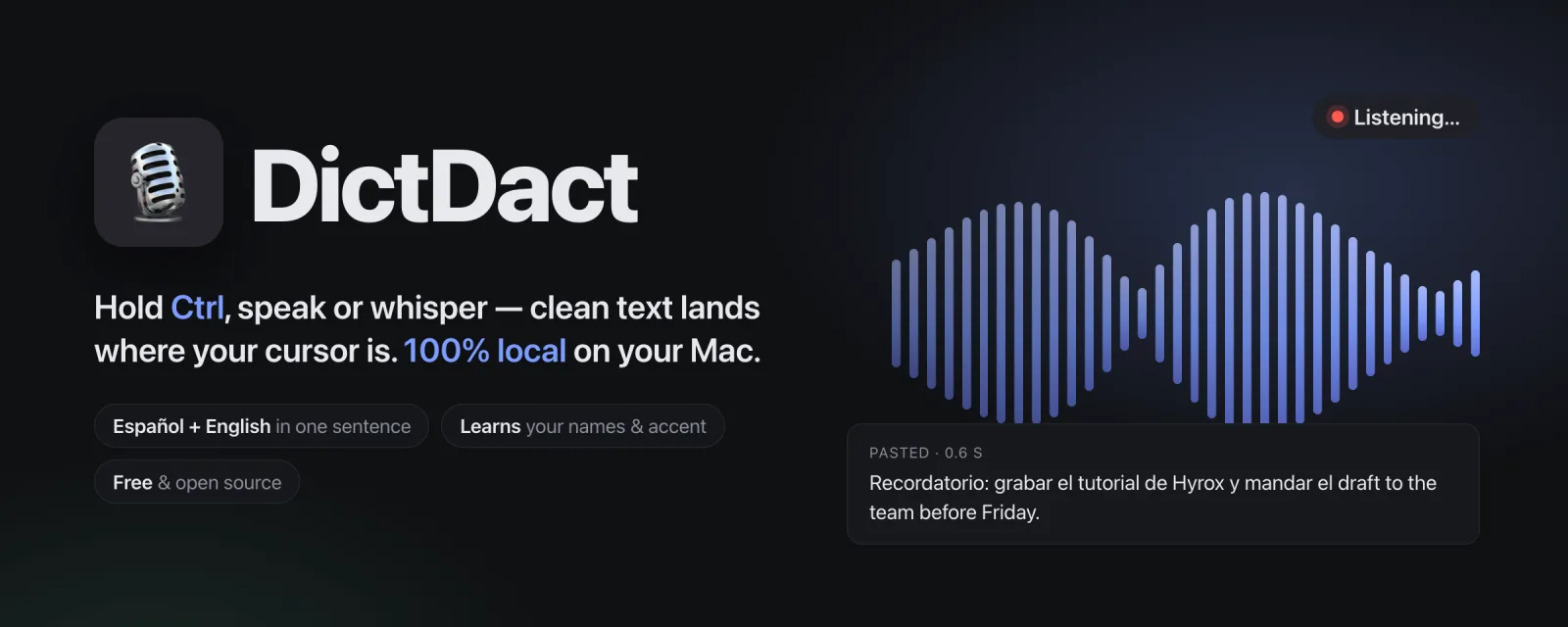
Free voice dictation for Mac. It runs 100% on your Mac and learns your voice.
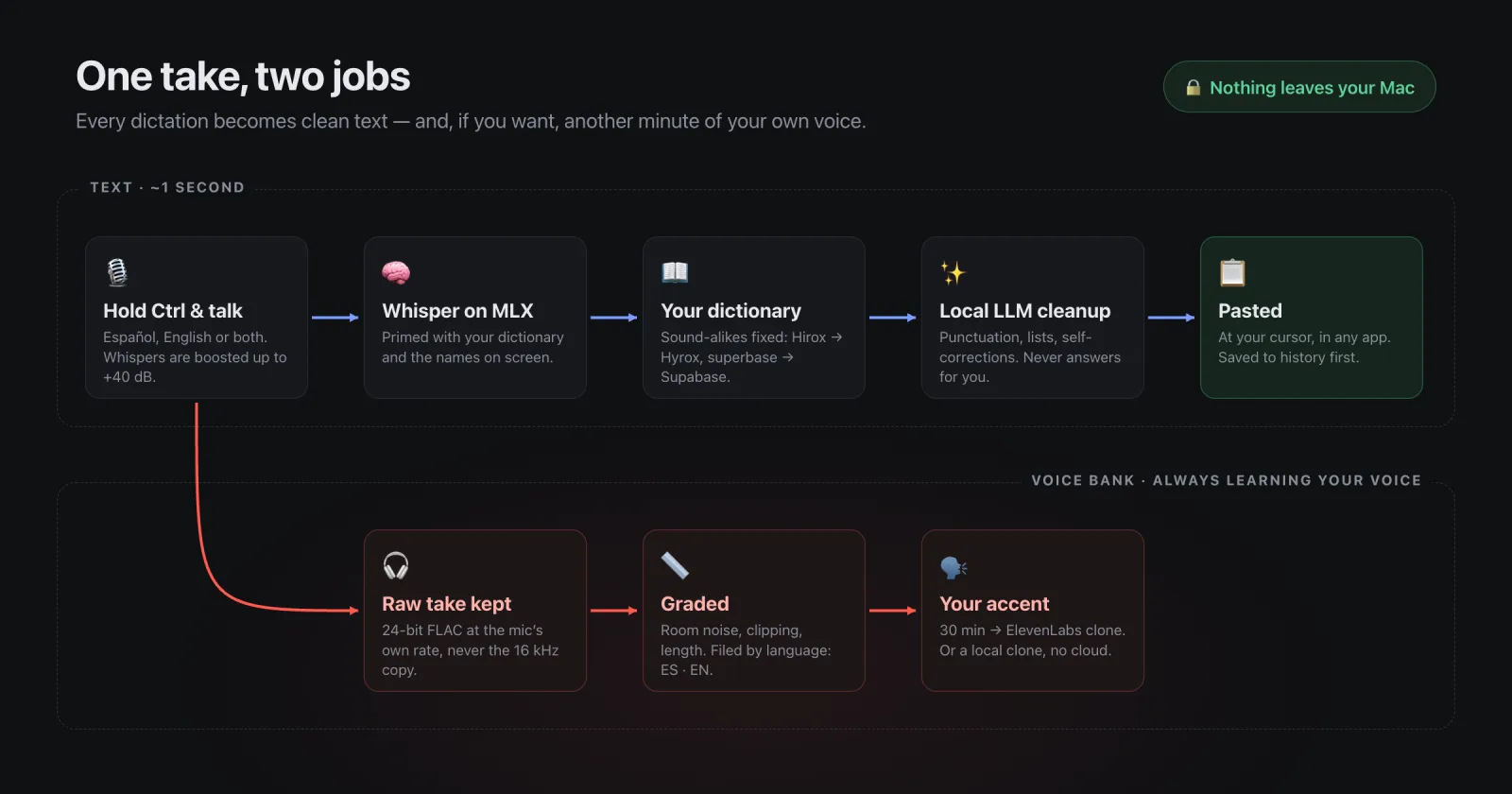
Hold the Ctrl key and speak or whisper. It can be Spanish, English or both in the same sentence. Let go, and clean, structured text is pasted where your cursor is.
Four steps. The second one is only needed the first time you open it.
Go to the downloads page on GitHub and get DictDact-0.3.0.dmg. Open it and drag DictDact into the Applications folder.
The free build is not notarized by Apple yet, so the first time macOS says it cannot verify the developer. Go to System Settings → Privacy & Security, scroll down and click “Open Anyway”. You only do this once.
The Welcome window downloads the models with a progress bar and walks you through the permissions: Microphone, Accessibility and, on macOS 26, Input Monitoring. Turn on DictDact in each list.
Let go of the key and the text appears where your cursor is, in any app.
It works anywhere you can type: emails, notes, chats or documents. You can mix Spanish and English in the same sentence.
If you whisper, DictDact boosts your voice by up to +40 dB so it is still understood. Before pasting, a local language model adds punctuation and cleans up the text.
It transcribes with Whisper large-v3-turbo or Parakeet on Apple MLX, and uses a local Qwen model for punctuation and cleanup. Everything runs on your Mac.
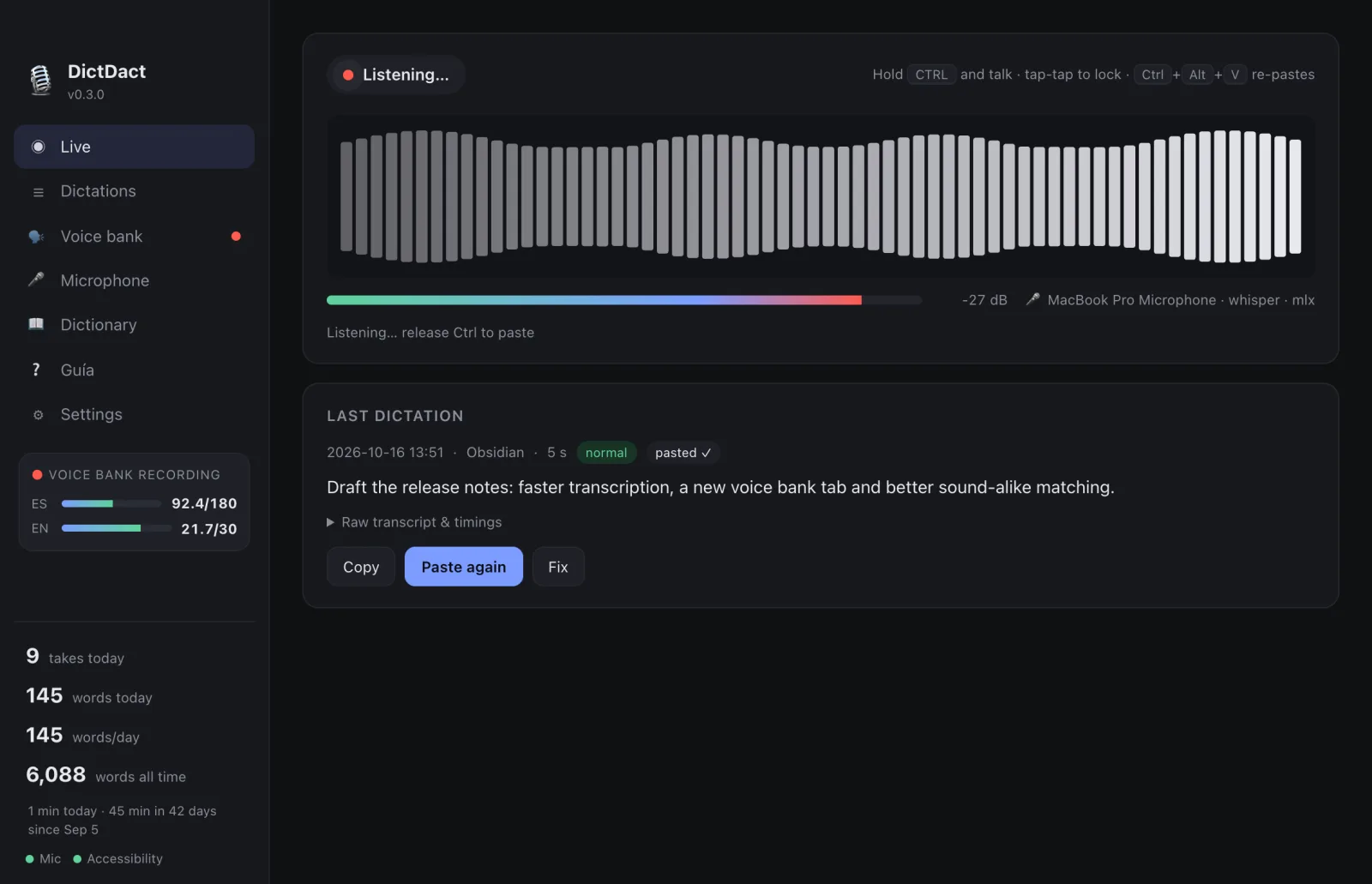
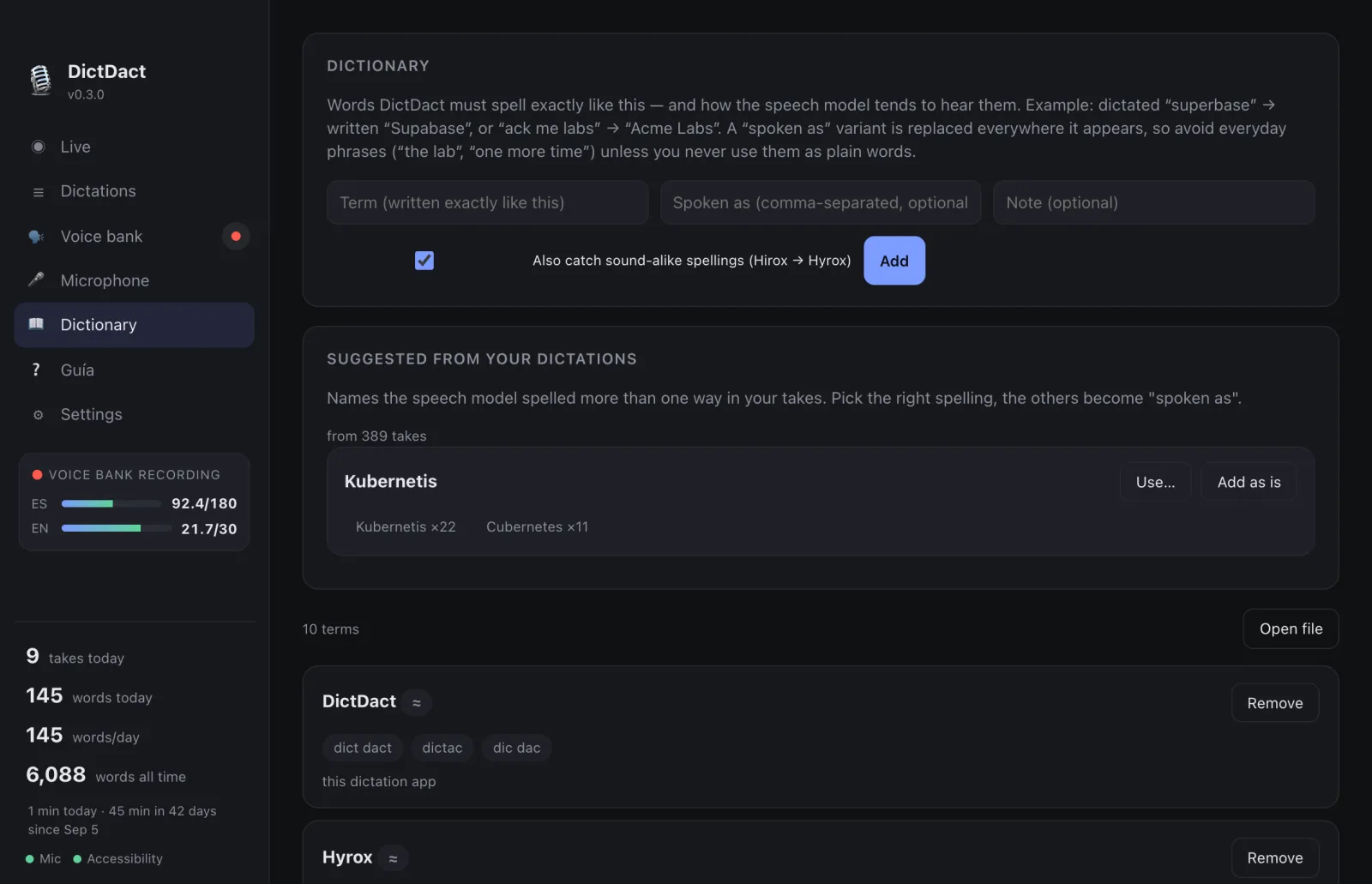
Speech models often misspell names. In the DictDact dictionary you save how each word is written, and DictDact recognizes sound-alike forms: if the model hears “Hirox” or “Hierox”, it pastes “Hyrox”.
It also suggests words mined from your own dictations. When you correct a dictation with “Fix → Save & learn”, it remembers it for next time. And it reads the names visible on your screen.
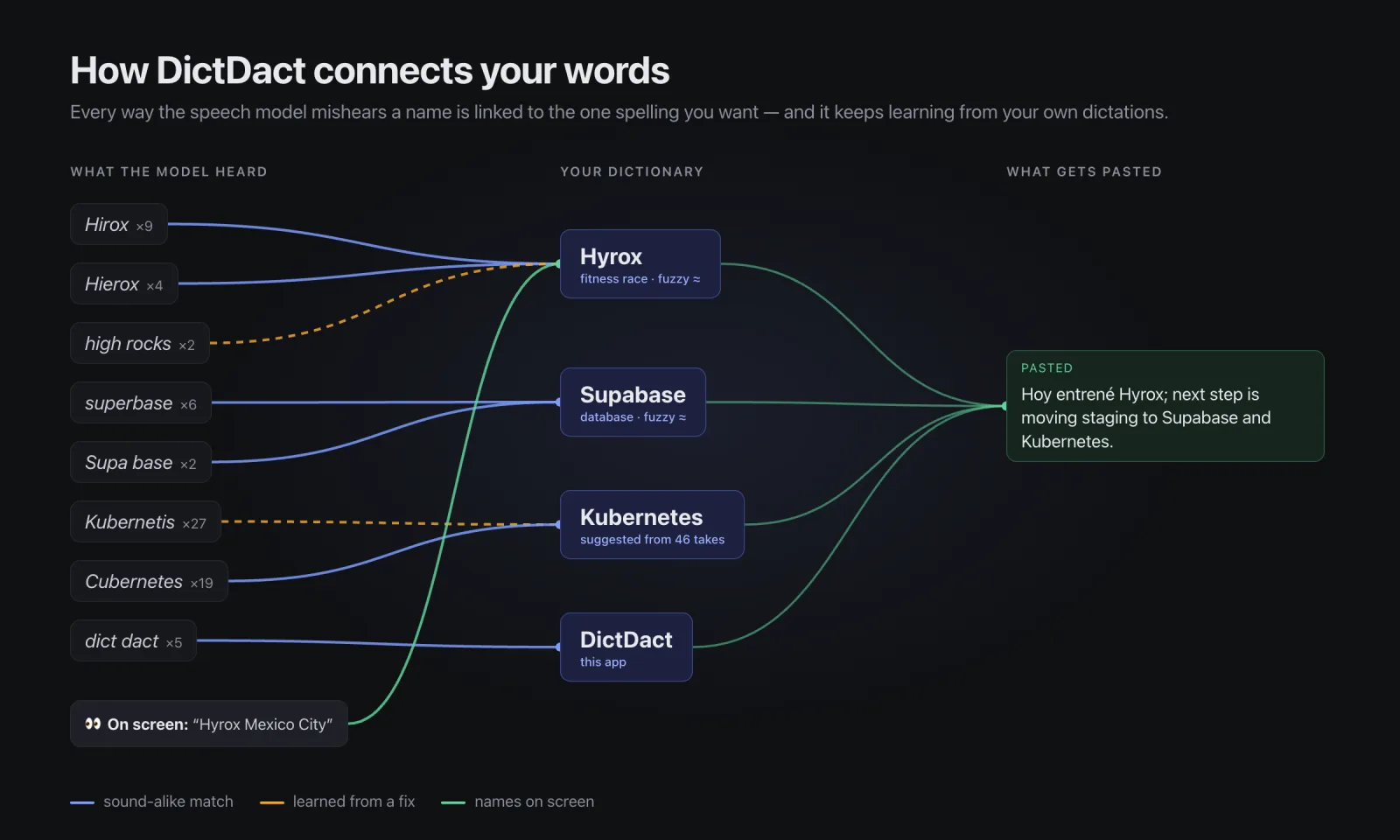
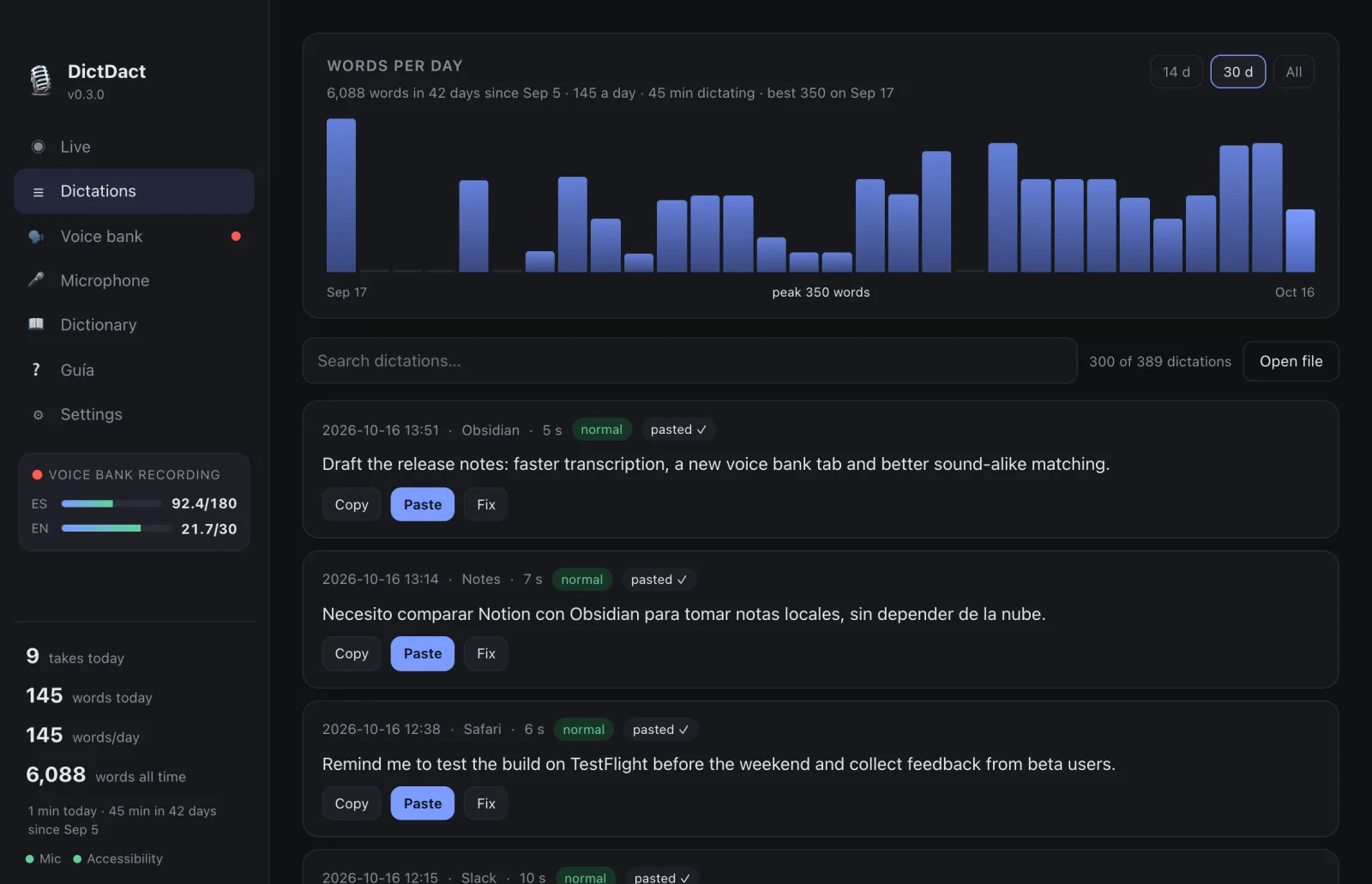
Every dictation is saved to the history before it is pasted. If it landed in the wrong place, Ctrl + Alt + V pastes it again.
You can search your dictations and see how many words you dictate per day.
It is optional. If you turn it on, every dictation is also kept as studio-quality audio (24-bit FLAC). DictDact grades the room noise and files your recordings by language: your Spanish on one side and your English on the other.
That way, what you already dictate every day becomes the material to clone your voice, with your own accent and pronunciation. 30 usable minutes per language is enough for an ElevenLabs Professional Voice Clone; 2 to 3 hours is best. You can also make the clone locally.
To be clear: DictDact does not fine-tune the speech model on your voice. The voice bank collects your voice for a clone, and the dictionary learns your words.
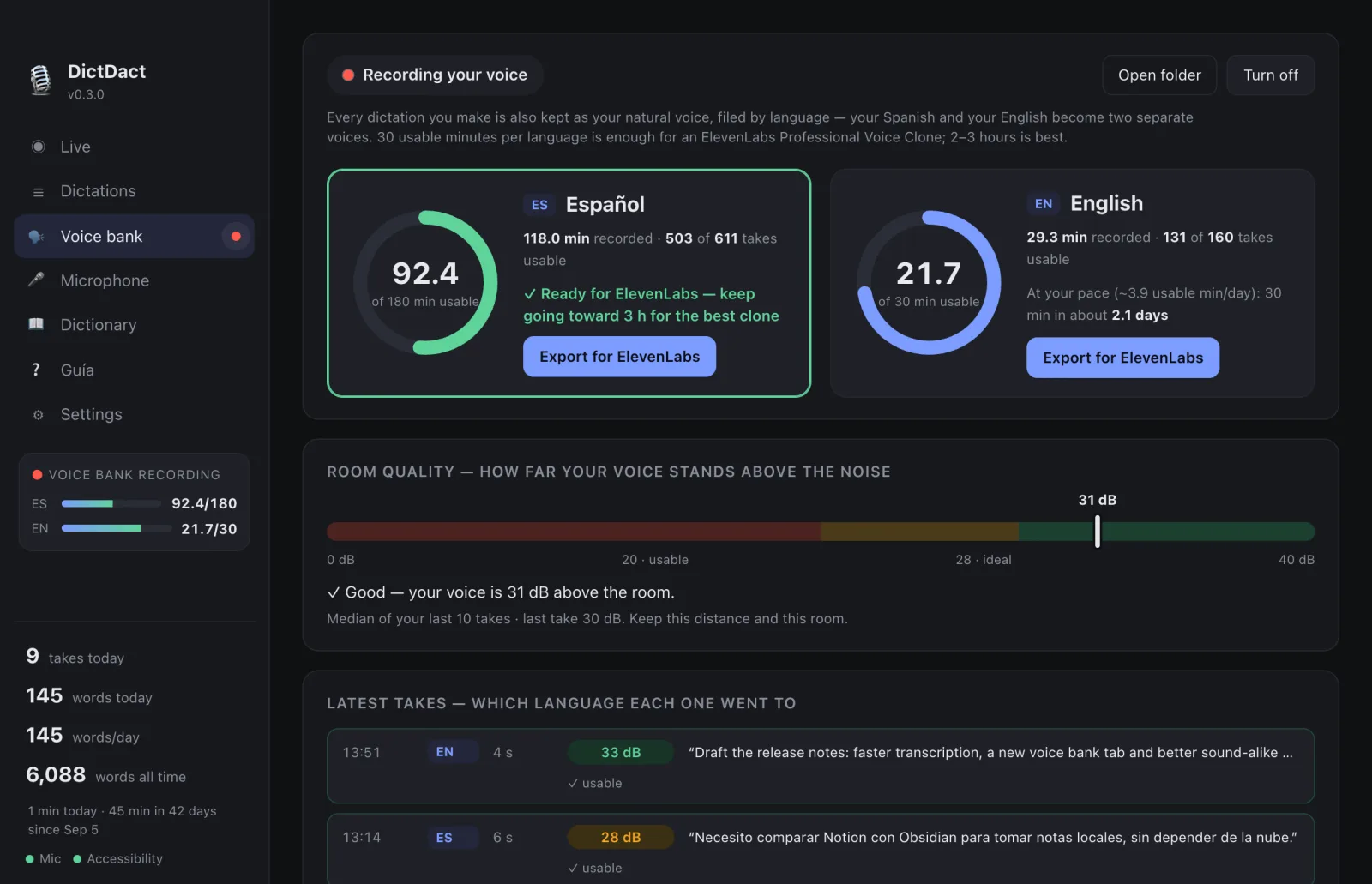
Screenshots with sample data.
Once the models are downloaded, DictDact works without internet. Your voice, your dictations, your dictionary and your voice bank are stored on your Mac.
Nothing leaves your Mac unless you export it yourself. The code is open: anyone can review it on GitHub.
Mac with Apple silicon and macOS 14 or later.
Download free for MacCode, downloads and release notes: github.com/abrahamolverad/dictdact · MIT license